AmigoPOS can be configured to print the customer receipt automatically based on order type or other preferences, as follows:
- Always print a customer receipt when the order is submitted
- Print a customer receipt for selected order types only
- Print a customer receipt when order is settled
Always print a customer receipt when the order is submitted
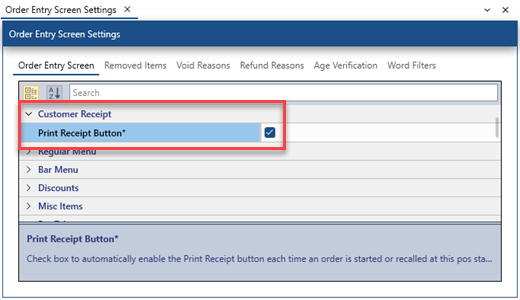
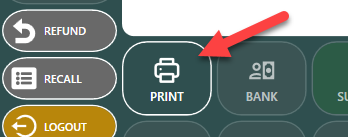
To automaitcally enable the print receipt button each time an order is started or recalled, set the Print Receipt By Default value to Yes in Back Office | Settings | Main Settings | Order Entry, as shown below. This value determines the state of the Print Receipt button each time an order is started or recalled.
Print a customer receipt for selected order types only
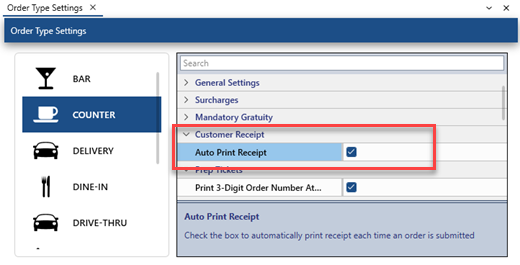
To always print a customer receipt for a specific order type when the when the order is submitted on the order entry screen, check the box under the Auto Print Receipt column next to the order type in Back Office | Settings | Main Settings | Order Types, as shown below. This value applies to orders submitted at all pos stations and tablets and overrides the Print Receipt By Default value.
Print a customer receipt when order is settled
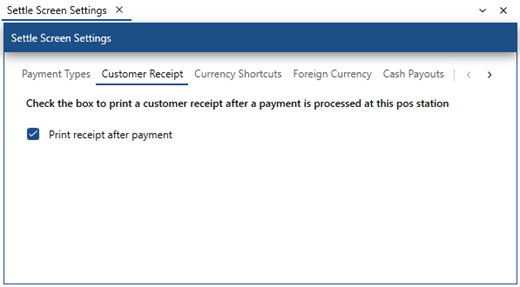
To always print a customer receipt after the order is settled when a payment is saved on the credit card or settle screen, set the Print receipt after payment checkbox in Back Office | Settings | Main Settings | Settle Screen.